 AdamsTechnology SolutionsGet in touch
 One schedule.
Every screen.
Explore Web Scheduler on desktop. See the matching mobile experience beside it.
A short guided tour of actual product screens with fictional people, dates, and assignments. Choose a view below, or turn on clickable areas to navigate inside the desktop preview.
See the whole week.
A weekly staffing plan on desktop becomes a focused daily view on mobile. The sample week starts November 1, 2026.
Both show the same step
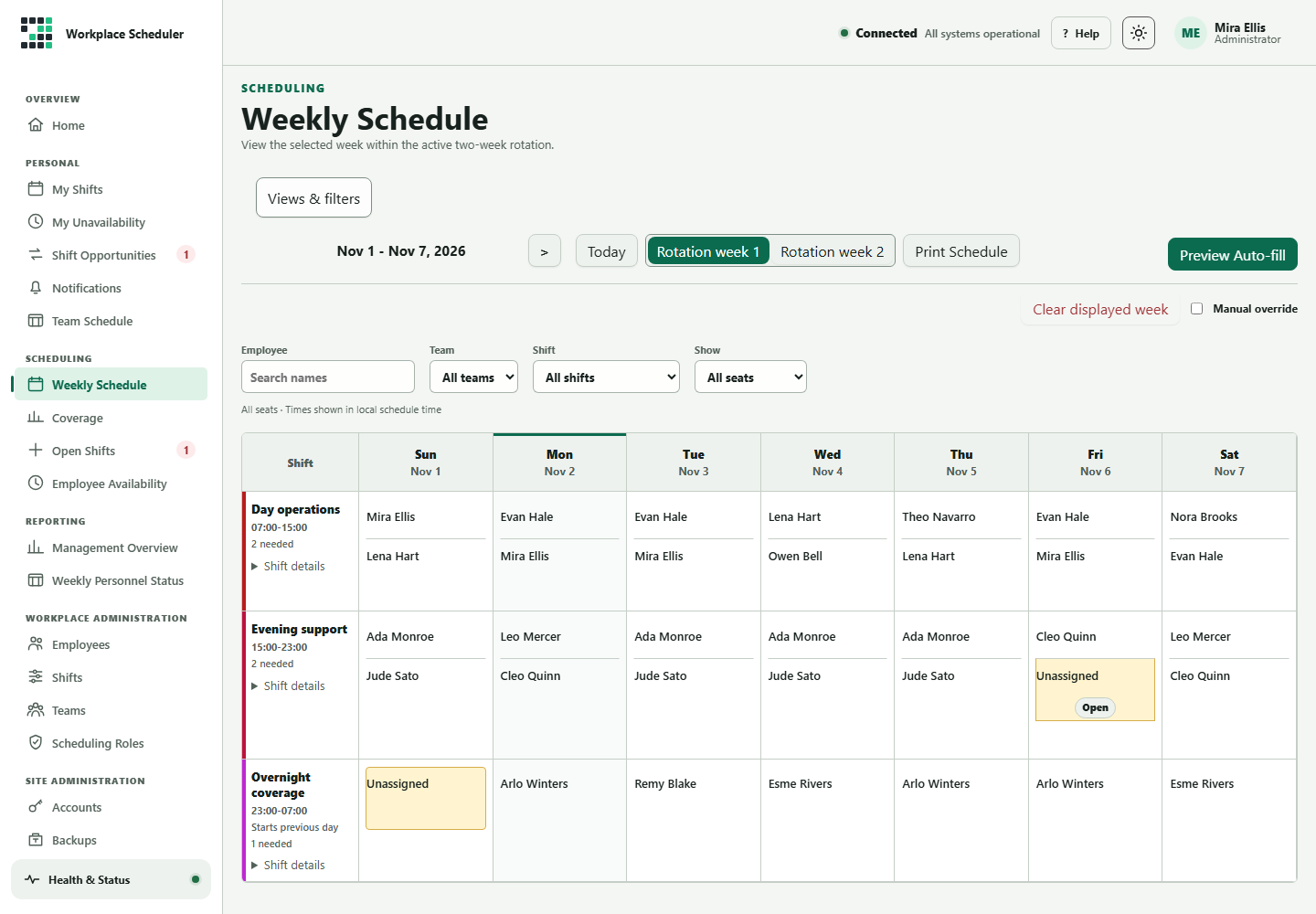
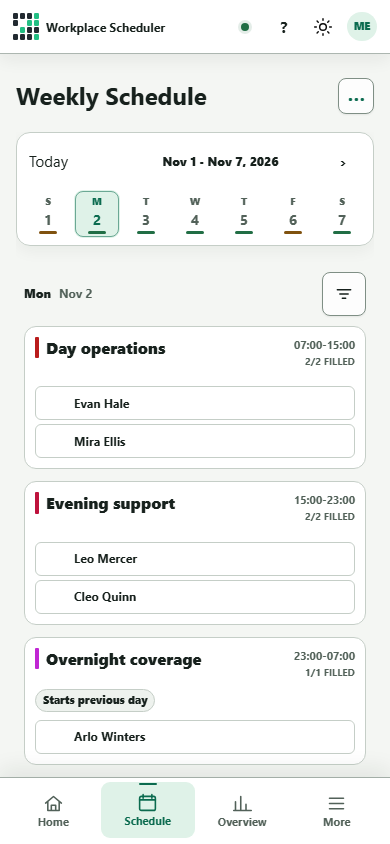
This interactive tour uses captured screens and sample data. Scheduling edits, account settings, and shift claims are available in the full product.
See how it fits your team.
Let’s talk about the scheduling decisions your team needs to make.