Build the week.
See assignments across days, teams, and shifts. Move between rotation weeks while keeping open seats visible.
Explore weekly planning AdamsTechnology SolutionsGet in touch
Plan shifts, see coverage, and keep everyone on the same page. Built around the way your team works.
Explore the interactive demo Desktop and mobile, side by side.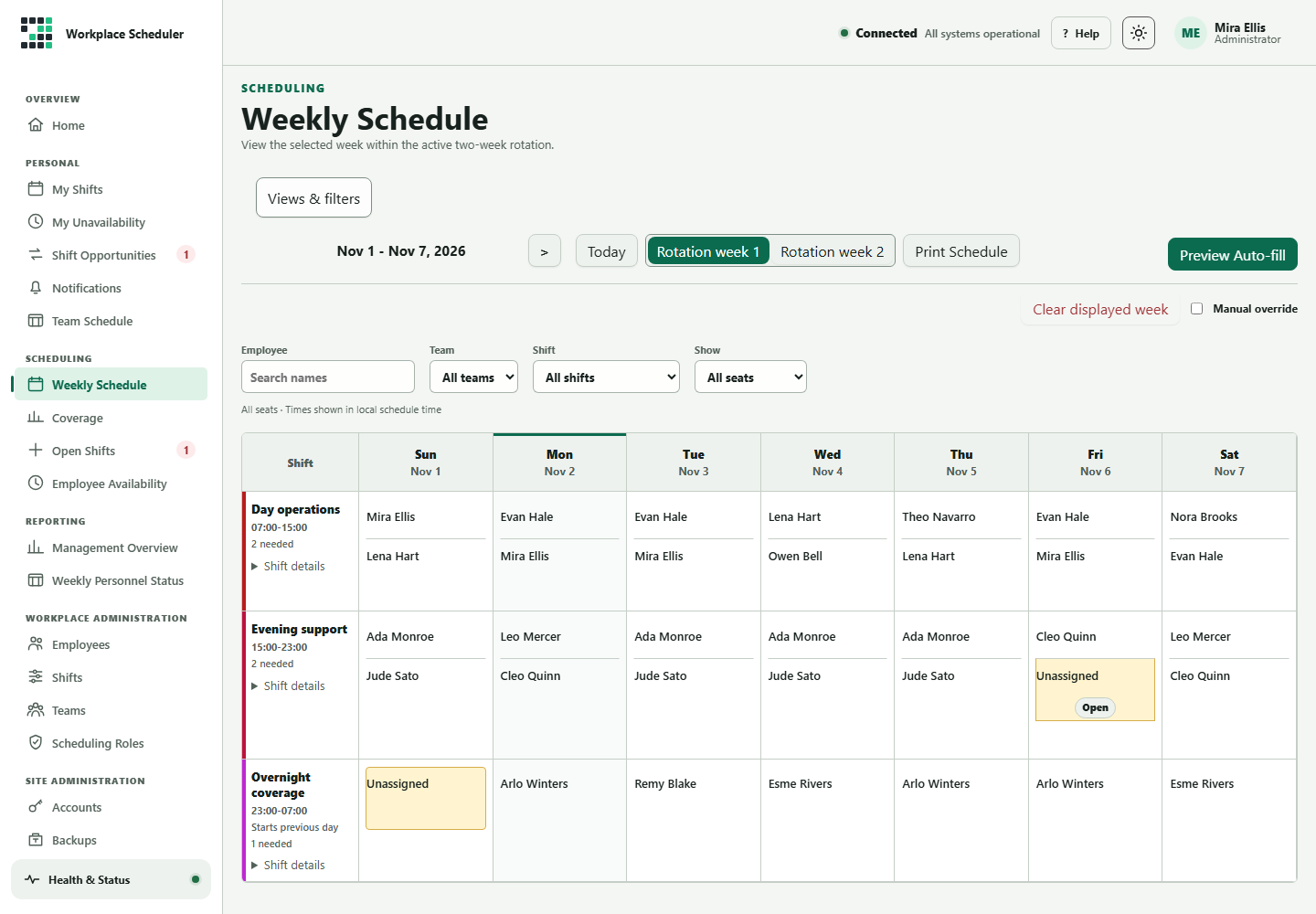
Actual product screens · Fictional demonstration data
One place for the next
scheduling decision.
Scheduling is a series of connected decisions. Web Scheduler keeps the people, coverage, and details in view as you move through them.
See assignments across days, teams, and shifts. Move between rotation weeks while keeping open seats visible.
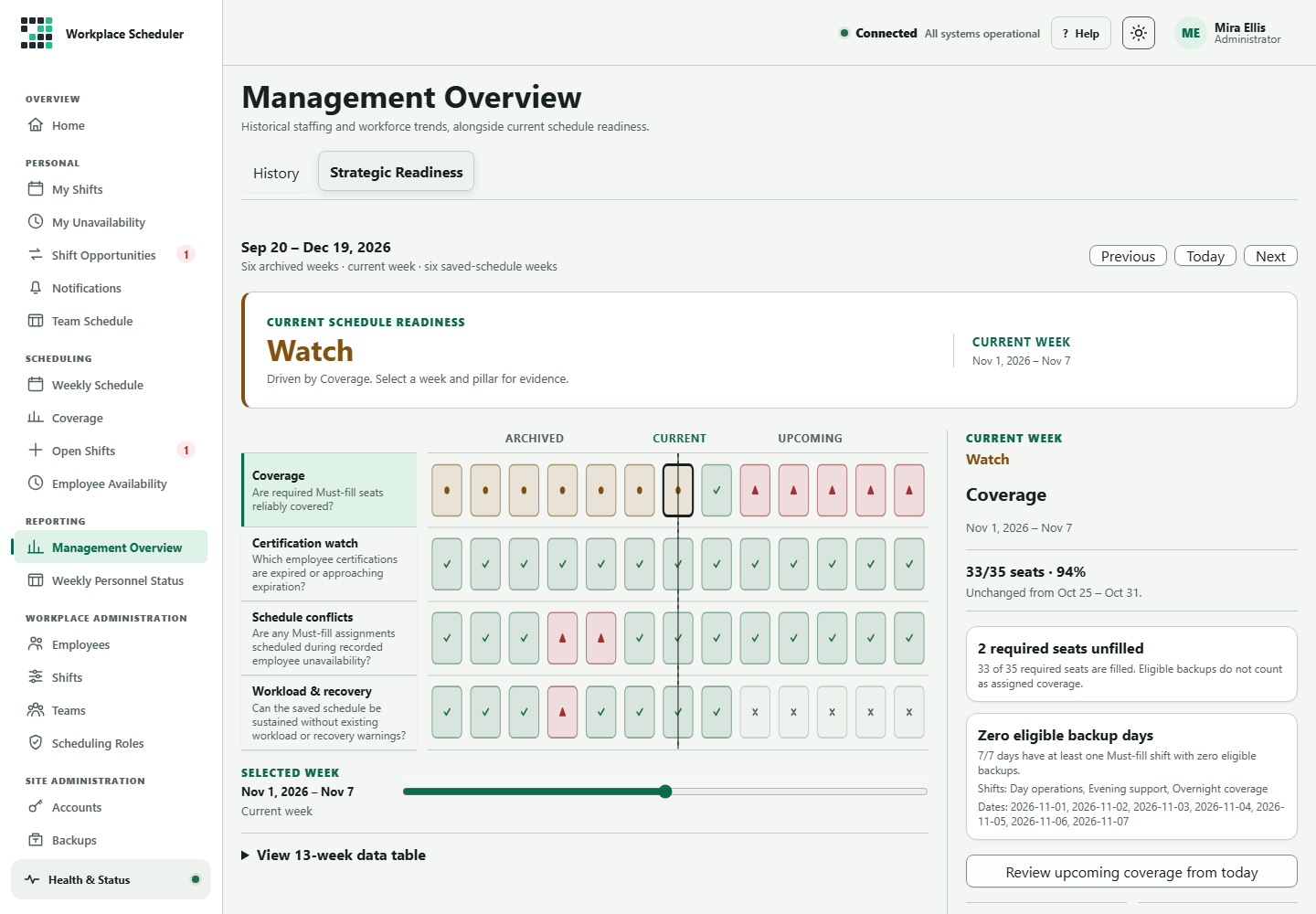
Explore weekly planningReview coverage, certifications, conflicts, and workload in the Management Overview before the next handoff.
See schedule readinessFind available work and review its date, hours, and eligibility together before taking the next step.
View shift opportunitiesA filled calendar is only part of the picture. Bring the signals behind the schedule into one place, so the gaps that need a decision are easier to find.
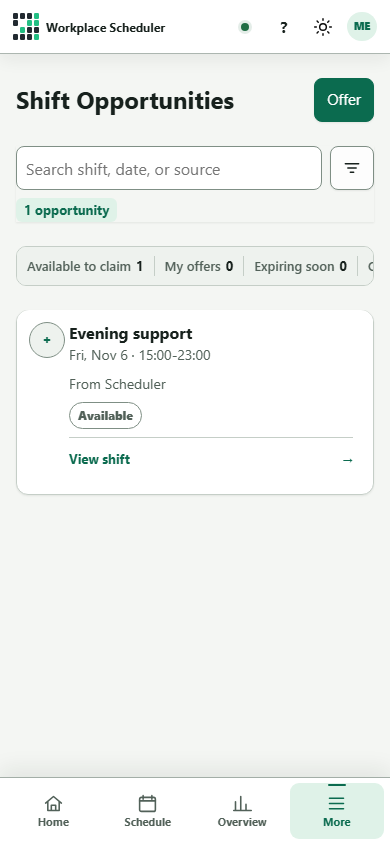
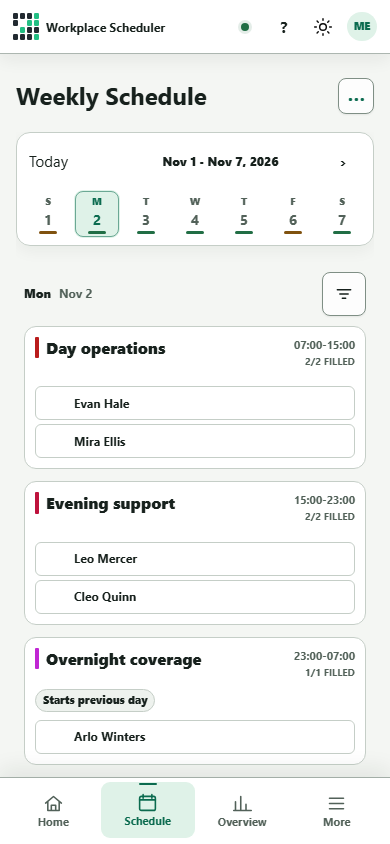
The week at your desk. The next shift on your phone. See how the same workflow takes shape on both screens.
Take the interactive tourNavigate the desktop preview.
The mobile equivalent follows along.
Eight guided steps. No sign-in needed. All people, assignments, and metrics are fictional.
We’re Adams Technology Solutions. We build focused web products around the people, rules, and decisions that make an operation its own.
Web Scheduler puts that approach into practice: a connected place for planning, coverage, and day-to-day coordination.
Have a scheduling challenge that needs a closer look? We start by understanding your workflow, then define a practical scope together.
Tell us about your teamExplore eight captured product states: the weekly schedule, next rotation, weekly personnel, readiness, historic metrics and trends, shift opportunities, and shift details. Desktop and mobile stay on the same step. The demo does not submit edits or shift claims.
The interface is the actual Web Scheduler product. Names, assignments, dates, and metrics are fictional demonstration data, created to show how the workflows behave.
Yes. The product has responsive web views for smaller screens. In the tour, you can compare the desktop workspace with its mobile equivalent.
Tell us about your team, scheduling rules, and the decisions that take the most coordination. We’ll discuss your workflow and the scope, timing, and cost of an appropriate next step.
Tell us what your team coordinates and where scheduling gets complicated. We’ll start there.
info@adamstechnologysolutions.com